How to Design Better Agent Skills
A practical guide for designing agent skills that trigger well, encode real gotchas, and include the scripts, hooks, and structure agents actually need.
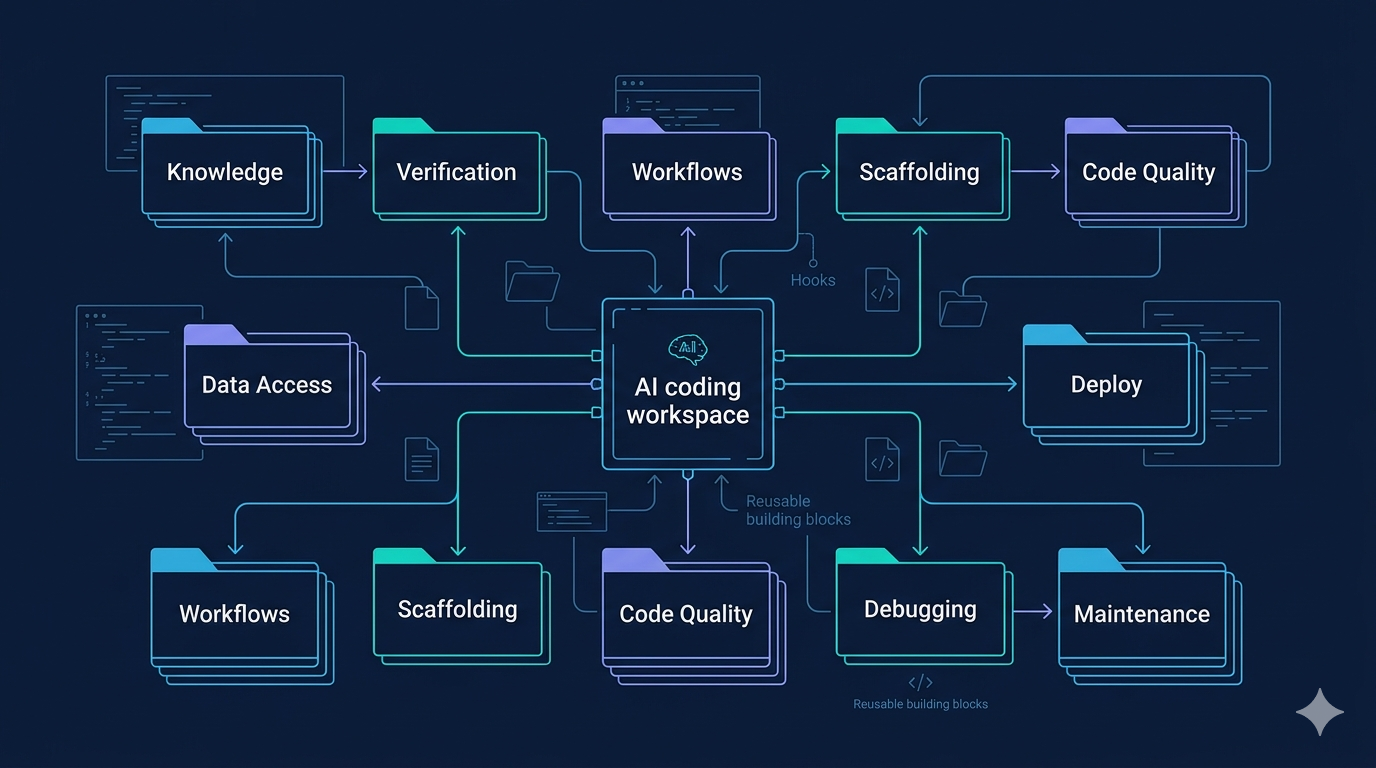
Most teams do not have a skill quantity problem. They have a skill quality problem.
After reviewing Anthropic's lessons from building and using Claude Code skills at scale, one thing is obvious: good skills are not vague prompt wrappers. They are small operating systems for recurring work.
This guide turns those lessons into a practical checklist you can use when creating skills for your own agent workflows.
1. Pick one job per skill
Bad skills try to be knowledge base, workflow engine, reviewer, and debugger at the same time. Good skills usually fit one clean category: knowledge, verification, data access, workflow, scaffolding, quality, deploy, debugging, or maintenance.
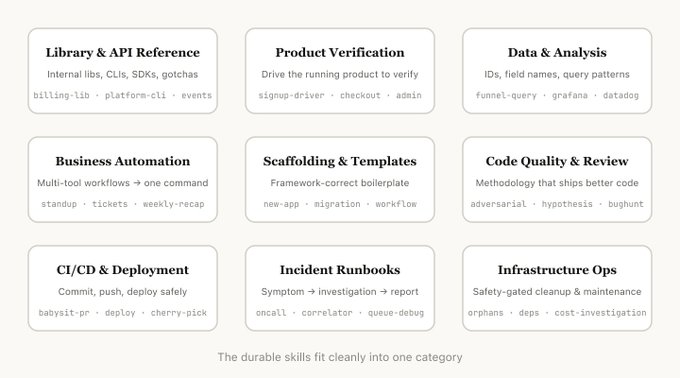
If a skill spans too many categories, split it. Confused skills under-trigger, over-trigger, or do both.
2. Put the real value in gotchas
The highest-signal part of a skill is rarely the intro paragraph. It is the failure modes.
Your gotchas section should capture:
- repeated agent mistakes
- org-specific footguns
- edge cases that break production
- defaults the model tends to assume incorrectly
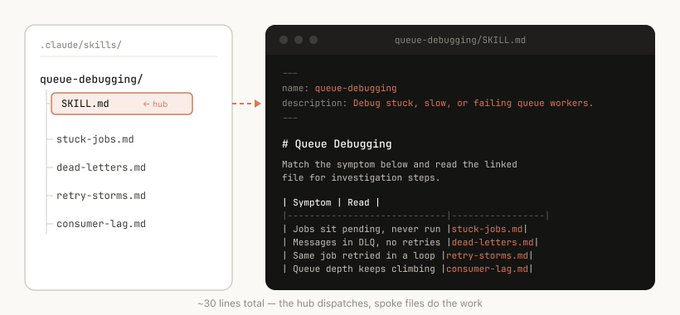
If your skill does not have real gotchas yet, it probably has not been used enough.
3. Build the skill as a folder
A serious skill should often include more than one markdown file.
Useful artifacts include:
- references/ for detailed docs and examples
- assets/ for templates
- scripts/ for repeatable actions
- examples/ for known-good patterns
- config.json for setup values
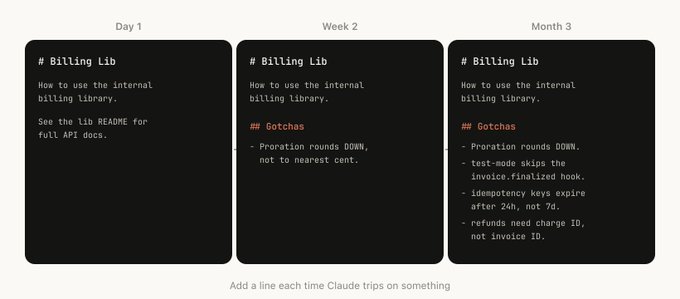
This gives the agent progressive disclosure instead of one giant wall of instructions.
4. Write descriptions as triggers, not marketing copy
The description field exists to help the model decide when to invoke the skill.
That means descriptions should include:
- when to use it
- common request phrasings
- boundaries for when not to use it
- the situations it handles best
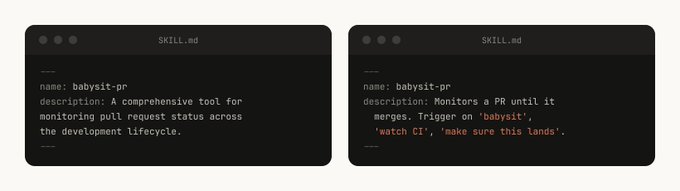
A beautiful summary that does not improve triggering is decorative fluff.
5. Give the agent code, not just prose
Whenever possible, bundle helper scripts or reusable functions with the skill.
That makes the agent spend tokens on composition and judgment instead of reconstructing the same glue code repeatedly.
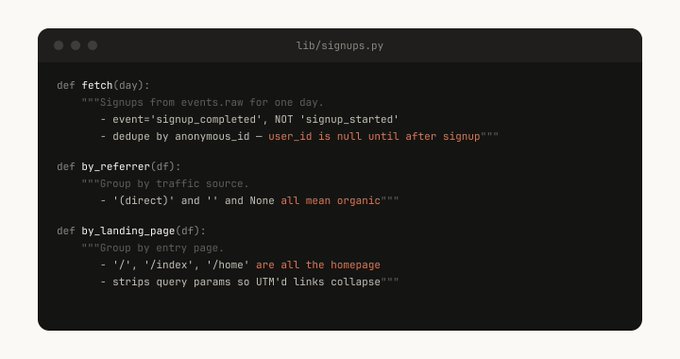
If a workflow is important enough to explain three times, it is important enough to script once.
6. Add scoped hooks carefully
Hooks can make skills much more opinionated and safe, but only when they are scoped. A good hook activates when the skill is invoked and disappears when the work is done.
This is how you enforce rules like:
- block dangerous shell commands in production flows
- restrict edits to a single directory
- require verification before deploy steps
7. Promote skills only after real traction
Do not dump every experiment into a shared marketplace. Let skills prove themselves first. Useful skills tend to spread naturally because people keep reusing them.
Final checklist
Before publishing a skill, ask:
- Does it do one job clearly?
- Does it include real gotchas?
- Does it provide scripts, assets, or references where useful?
- Does the description improve triggering?
- Does it encode real operational knowledge the model would not know by default?
If the answer is mostly no, the skill is still a draft wearing a nice outfit.
Related post
For the original discussion and examples, read: Lessons from Building Claude Code Skills: What Actually Works.
Tags
Related Skills
Vercel Skills: LLM Agent Skills Package Manager
Command-line tool to install AI agent skills across Claude Code, Cursor, and other LLM platforms with local folder support.
Claude Skills - Professional AI Agent Skills Library
Open-source collection of 48 professional Claude skills with documentation, Python CLI tools, and templates for productivity automation.
Superpowers
Developer productivity toolkit focused on boosting workflow efficiency.
Related Articles
Lessons from Building Claude Code Skills: What Actually Works
A practical breakdown of the skill patterns, best practices, and team lessons Anthropic shared from building and using Claude Code skills at scale.
Claude Code Plugin Pairing: ralph-loop with planning-with-files
Experience sharing on combining Claude Code's ralph-loop plugin with skills/planning-with-files for task completion and progress tracking.
Component Wireframe Generator Prompt Guide
AI prompt template for generating component wireframes with detailed specifications including responsive behavior and accessibility considerations.