How I Built LennyRPG: A Masterclass in AI-Assisted Product Development
Ben Shih built a Pokémon-style RPG game using Claude Code, Codex, and ChatGPT — processing 300+ transcripts and generating 250+ avatars with CLI automation. His 6-step AI workflow reveals a blueprint any developer can steal.
How I Built LennyRPG: A Masterclass in AI-Assisted Product Development
Originally published by Ben Shih on Lenny's Newsletter
What happens when you take 300+ podcast episodes, throw them into a pixel-art RPG, and build the whole thing with AI coding tools? You get LennyRPG — a Pokémon-style game where players explore a pixel world, battle Lenny's Podcast guests with product knowledge questions, and "catch 'em all" like Pokémon.
But the game itself isn't the real story. The build process is.
Ben Shih, a Senior Growth Designer at Lokalise, documented exactly how he used Claude Code, Codex, Cursor, ChatGPT, and a handful of open-source tools to go from idea to shipped product — and his workflow reveals a blueprint that any developer or product builder can steal.
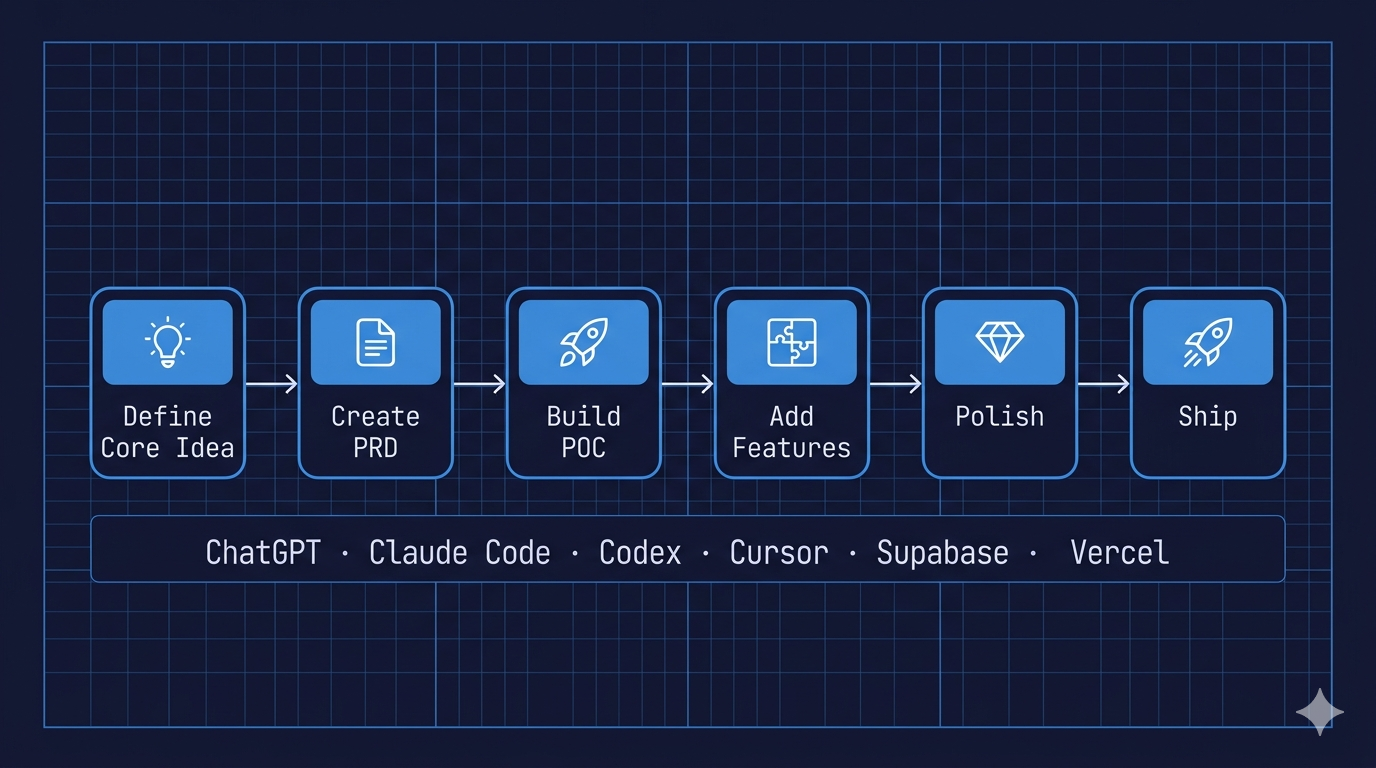
The 6-Step AI Build Workflow
Ben follows a deceptively simple pipeline:
- Define the core idea — clarify what you're building (sketch it if visual)
- Create a PRD — turn the idea into a source of truth
- Build a proof of concept — get the core loop working
- Add remaining features — scale from POC to full product
- Polish — fix UX/UI, run code reviews
- Ship it — deploy, get feedback, iterate
The process isn't revolutionary. What's revolutionary is how much he front-loads the first two steps to make the AI execution phase nearly effortless.
"Nailing the core idea and PRD determines 80% of how smooth the rest of the build will be."
Key Insight #1: Let AI Interview You for the PRD
Most people either write PRDs from scratch (painful) or skip them entirely (risky). Ben does neither — he lets the AI interview him.
He pastes his core idea into ChatGPT and asks it to generate clarifying questions. ChatGPT came back with 17 questions covering game mechanics, target users, visual style, and technical constraints. He answered each one, then asked the AI to synthesize everything into a comprehensive PRD.
Why this works:
- Forces you to think through gaps you'd otherwise miss
- Gives the AI much richer context than a one-page description
- The PRD becomes a reusable reference when the AI hits walls later
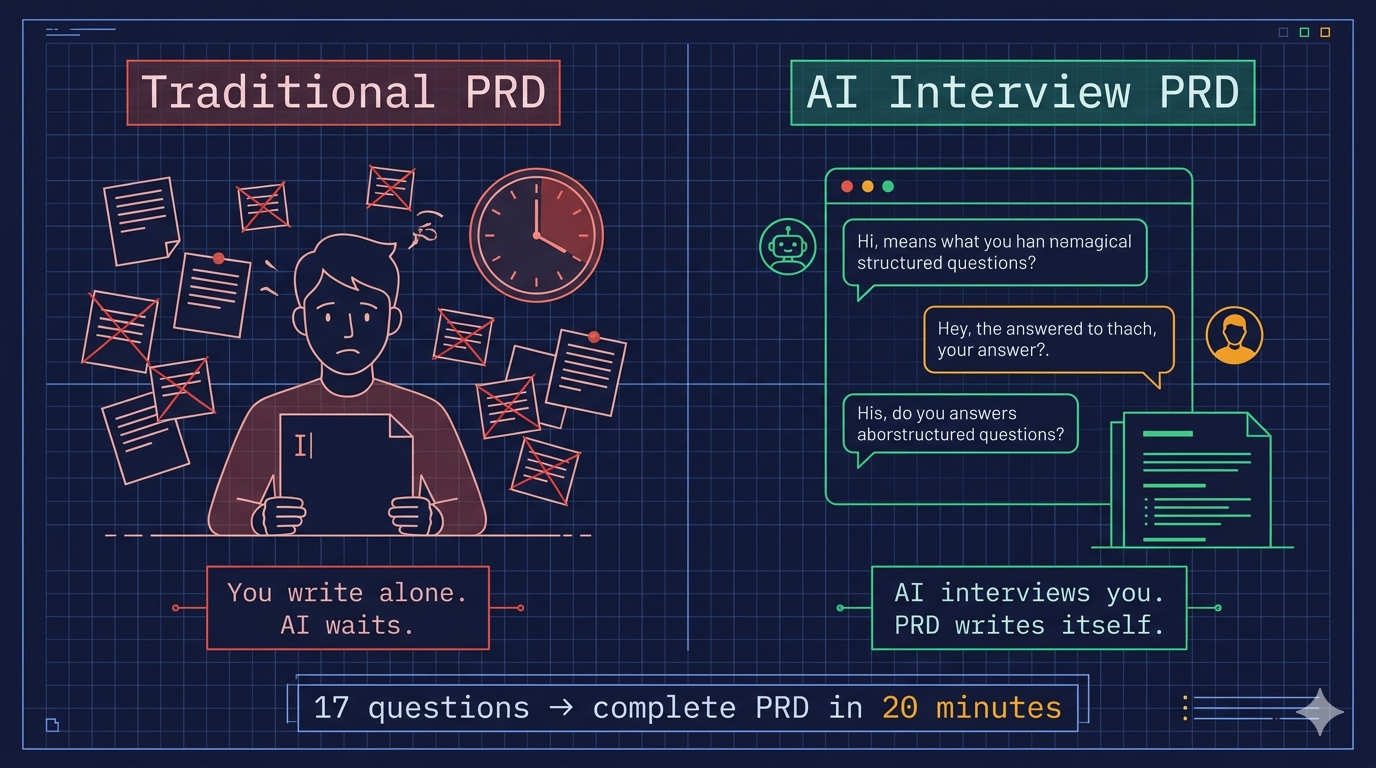
This mirrors the "journalist interview" technique we've covered before on ClawList — but applied to product requirements instead of content writing. Same principle: the AI asks questions, you provide the domain knowledge, and the output is uniquely yours.
Key Insight #2: Write CLI Tools, Don't Do Things Manually
The game required two massive batch operations:
- 300+ podcast transcripts → converted into quiz questions
- 250+ guest photos → transformed into consistent pixel-art avatars
Doing either manually would have taken weeks. Instead, Ben asked Claude Code to write CLI tools:
# Example: Auto-generate quiz questions from transcripts
"Create a CLI command tool that reads through all transcripts
in /transcript folder one by one, and for each, generate 5
questions following this JSON format: {requirements}"
The tool processed all 300+ episodes in about 20 minutes. For avatars, he first tested prompts in OpenAI Playground to nail the pixel-art style, then wrote another CLI tool to batch-generate all 250+ avatars from episode covers.
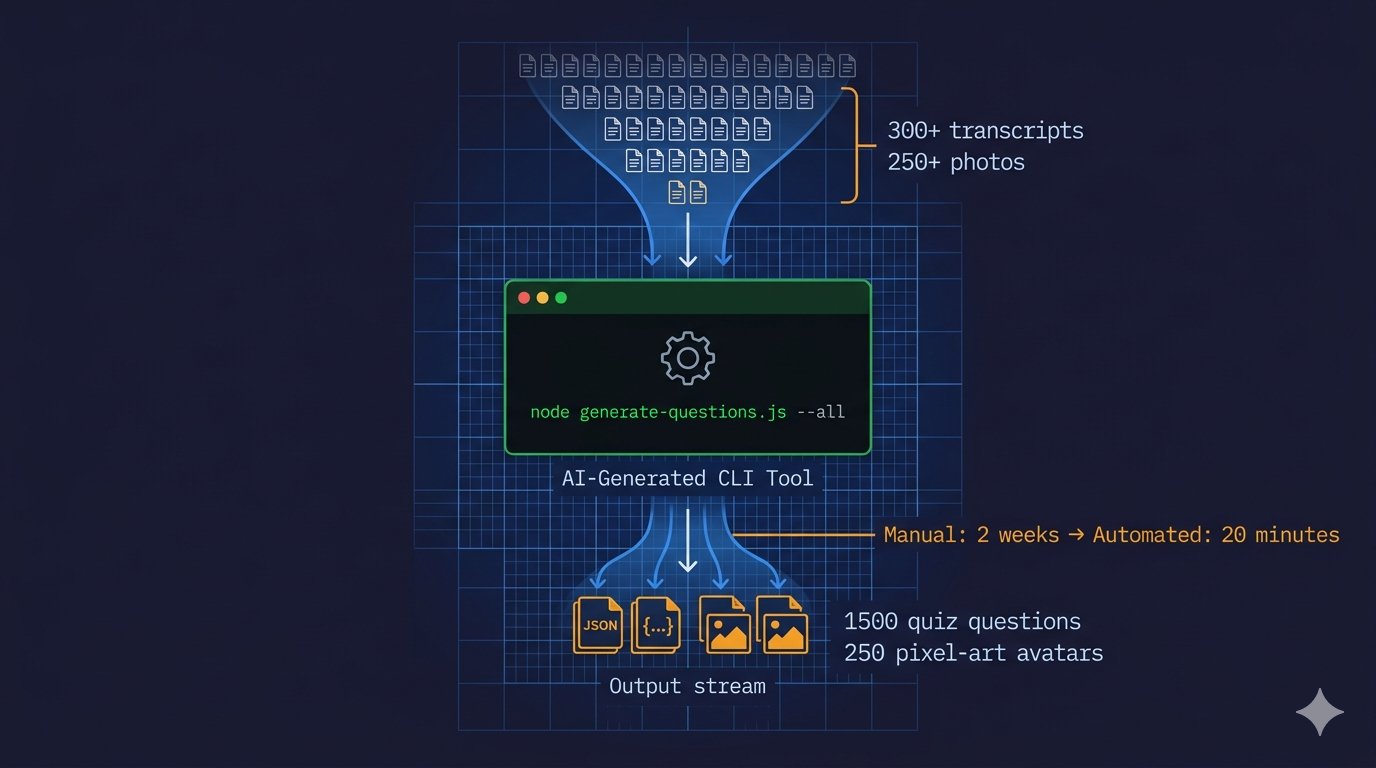
The takeaway: If you're doing something more than twice, stop and ask the AI to write a tool that does it for you. The tool doesn't need to be elegant — it needs to exist.
Key Insight #3: MCP Makes Backend Setup Invisible
For the leaderboard feature, Ben used Supabase MCP directly inside Claude Code. Instead of manually creating tables, setting up APIs, and wiring connections, he simply described what he wanted:
"Set up a leaderboard synced with Supabase"
Claude Code triggered the Supabase MCP, which automatically called create_project, apply_migration, and other tools to set up the entire database structure — tables, connections, and the game integration — with minimal manual backend code.
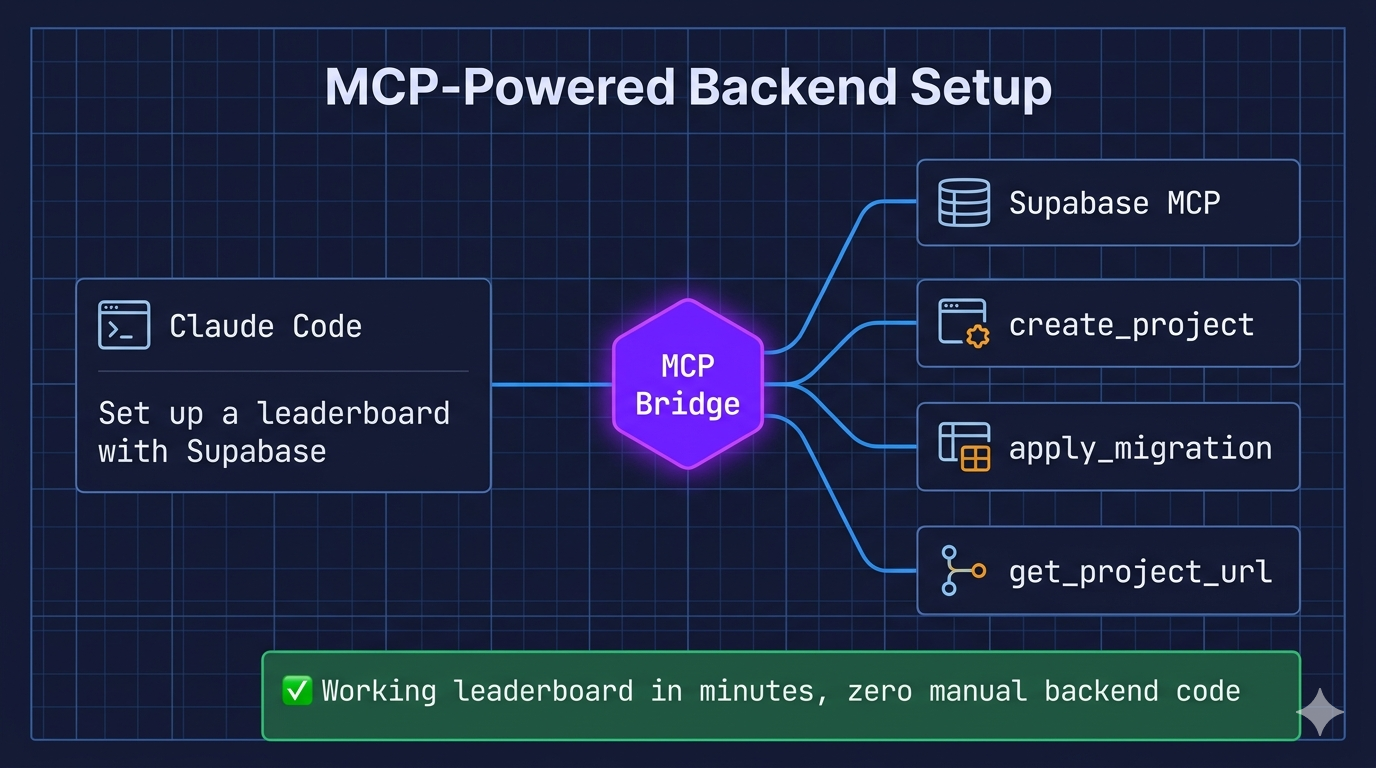
This is where MCP (Model Context Protocol) starts to show its real value: it turns infrastructure setup from a multi-hour task into a natural language instruction. We're seeing this pattern more and more — MCP servers for databases, APIs, cloud services — and it's going to fundamentally change how fast solo developers and small teams can ship.
Key Insight #4: Search for Open Source First
Every time Ben hit a technical wall, his first move was to ask Claude Code to search for open-source solutions:
- RPG engine → Found RPG-JS (got a running prototype in 5 minutes)
- Map system → Found a reusable Phaser 3 tilemap template on Medium
- Background music → Found OpenGameArt.org; Claude Code auto-downloaded and wired in music for map, battle, victory, and defeat screens
- Code review → Used Claude Code's review skill from the Awesome Skills marketplace
He spent more time evaluating and integrating existing solutions than building from scratch — which is almost always the right call.
Tools & Tech Stack
| Category | Tool | |----------|------| | Ideation & Planning | Miro, ChatGPT | | Coding | Claude Code, Codex, Cursor | | Image Generation | GPT Image Gen (gpt-image-1.5) | | Quiz Generation | GPT-4o | | Game Engine | Phaser 3 | | Database | Supabase (via MCP) | | Deployment | Vercel |
What This Means for You
Whether you're building a game, a SaaS tool, or an internal automation, the principles are the same:
- Invest heavily in the PRD — the "AI interviews you" approach works for any project
- Automate batch tasks immediately — don't manually process 300 of anything
- Use MCP to skip boilerplate — database, API, deployment setup should be one sentence
- Find open source before building — someone has probably solved your problem already
- Ship early, test informally — Ben's POC feedback came from showing colleagues a laptop screen
The game is live at lennyrpg.fun — go catch some product managers. 🎮
Original article: How I Built LennyRPG by Ben Shih on Lenny's Newsletter
Explore more AI development workflows, Claude Code techniques, and automation guides on ClawList.io.
Tags
Related Skills
Claude Skills - Professional AI Agent Skills Library
Open-source collection of 48 professional Claude skills with documentation, Python CLI tools, and templates for productivity automation.
Happy Coder - Remote Claude Code Client
Open-source tool enabling remote access to Claude Code and Codex from mobile and web clients using CLI.
Claude Flow
Chain AI models and CLI tools into automated workflows
Related Articles
Claude Code Plugin Pairing: ralph-loop with planning-with-files
Experience sharing on combining Claude Code's ralph-loop plugin with skills/planning-with-files for task completion and progress tracking.
AI-Assisted Writing Workflow with Claude
Guide on using Claude and voice input to overcome writer's block by dumping thoughts first, then having Claude ask clarifying questions as a journalist.
Seedance 2.0: AI-Powered Short Drama Generation
AI agent that generates complete short dramas from text prompts, transforming content creation workflow with consistent characters and unified style.