Ghost OS - AI-Powered Mac Automation Agent
Open-source AI agent that automates macOS tasks by controlling system accessibility APIs without screen recognition.
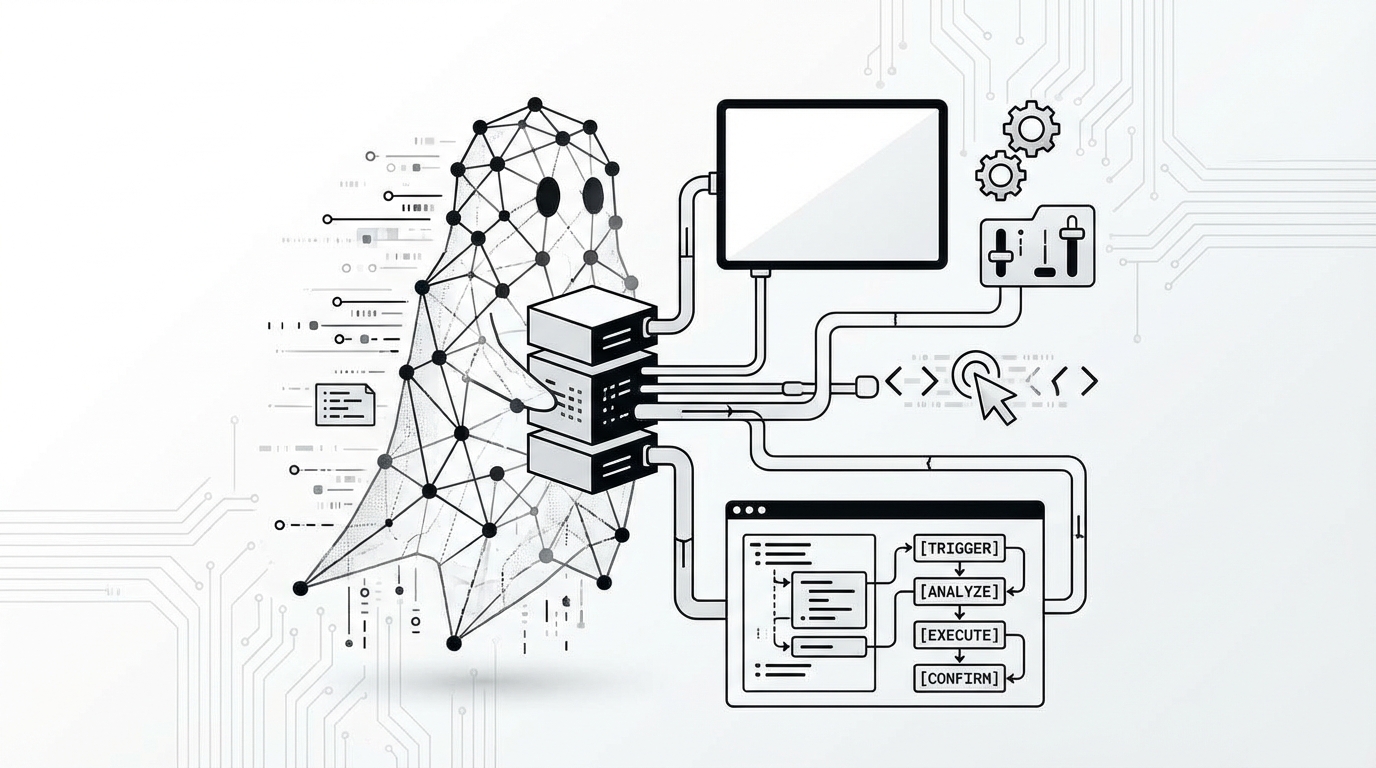
Ghost OS: The Open-Source AI Agent That Fully Controls Your Mac — No Screen Scraping Required
If you've ever wished you could just describe a task and have your computer execute it automatically — opening apps, clicking through menus, filling out forms — Ghost OS is the project you've been waiting for. This open-source AI agent for macOS is turning heads in the developer community, and for good reason: it doesn't just simulate mouse clicks blindly. It speaks the language of the operating system itself.
What Is Ghost OS?
Ghost OS is an open-source AI-powered automation agent designed specifically for macOS. Unlike conventional automation tools or AI assistants that rely on computer vision to "see" your screen and guess where to click, Ghost OS takes a fundamentally different approach — it interfaces directly with Apple's native Accessibility API, the same system-level framework used by assistive technologies like VoiceOver.
This distinction matters enormously. Screen-recognition-based automation tools are brittle. UI layouts shift between app updates, resolution changes cause misalignment, and dark mode can throw off pixel-matching entirely. Ghost OS sidesteps all of that. By talking directly to macOS's accessibility layer, it reads the actual semantic structure of every UI element — buttons, text fields, menus, dialogs — with precision that screenshot-based approaches simply cannot match.
The workflow is refreshingly simple:
- Describe your task in plain language — for example, "Open Notion, create a new page titled 'Weekly Review', and add today's date as a heading."
- Ghost OS interprets your intent using a large language model backend.
- It navigates your macOS environment autonomously, interacting with real UI elements via the Accessibility API.
- The task is completed — start to finish — without you lifting a finger.
Why the Accessibility API Approach Is a Game-Changer
Most AI computer-use agents you've seen — including early demos from Anthropic's Claude, OpenAI's Operator, or various open-source clones — fundamentally rely on visual perception. They take a screenshot, pass it to a vision model, ask "where should I click?", move the cursor, take another screenshot, and repeat. This loop is:
- Slow — each action requires a round-trip inference call with image input
- Fragile — any visual change can break the loop
- Token-expensive — images consume far more tokens than structured text
- Non-deterministic — coordinate-based clicking is error-prone across different screen sizes and scaling factors
Ghost OS flips this paradigm entirely by using macOS Accessibility APIs (AXUIElement and related frameworks). Here's a simplified illustration of what that means under the hood:
# Conceptual pseudocode — Ghost OS interacts with AX elements directly
ax_element = get_element_by_role("AXButton", label="New Page")
ax_element.perform_action("AXPress")
Instead of asking "where on the screen is the 'New Page' button?", Ghost OS asks the OS directly: "Give me the element with the role AXButton and label New Page" — and the OS hands it over. No vision model required for navigation. This results in:
- Faster execution — no image encoding/decoding per action
- Higher reliability — semantic element targeting survives UI redesigns
- Cross-resolution robustness — works identically on Retina displays, external monitors, or any DPI setting
- Lower token consumption — structured data is far cheaper than screenshot tokens
This is the same infrastructure Apple uses to make Macs accessible to users with disabilities. Ghost OS repurposes it as a first-class automation interface — a clever and underutilized approach in the AI agent space.
The Memory System: Learn Once, Run Forever
Perhaps the most practically compelling feature of Ghost OS is its built-in memory layer. Here's the problem it solves:
Every time you ask an AI agent to complete a task from scratch, it has to reason through the entire action sequence again — consuming LLM tokens at every step. For repetitive workflows, this is wasteful and adds up quickly in API costs.
Ghost OS addresses this with a workflow memory system. Once the AI successfully completes a task, it records the action sequence — the exact series of accessibility interactions that got the job done. The next time you request the same type of task, Ghost OS can replay the recorded workflow directly, bypassing the LLM inference loop entirely.
Think of it like this:
| First Run | Subsequent Runs | |---|---| | LLM reasons through each step | Cached action sequence replays | | Tokens consumed per action | Near-zero token cost | | Variable execution speed | Consistent, fast execution |
This has massive implications for developer productivity workflows. Imagine automating tasks like:
- Daily standups: Open Slack, navigate to your team channel, paste a templated update with today's date filled in
- Code review prep: Open GitHub Desktop, switch to a PR branch, run tests in Terminal, open VS Code in diff view
- File organization: Move completed project folders from Downloads to an archived directory in Finder, rename them by date
- Report generation: Open Numbers or Excel, paste data from a CSV, apply formatting, export as PDF to a designated folder
The first time, Ghost OS figures out how to do it. Every time after that, it just does it — fast, reliably, and cheaply.
Practical Use Cases for Developers and Automation Engineers
Ghost OS is particularly well-suited for the following workflows:
🔧 Development Environment Setup Describe your preferred dev environment configuration once. Ghost OS can open your terminal, run setup scripts, configure split panes in iTerm2, and launch your editor — all from a single prompt.
📋 Cross-App Data Transfer Moving data between apps that don't have API integrations? Ghost OS can read from one UI and type into another — handling copy-paste workflows that no Zapier integration could reach.
🧪 QA and UI Testing Assistance Manually walking through UI test cases is tedious. Ghost OS can execute predefined click paths, verify element states, and log results — functioning as a lightweight UI test runner for macOS-native apps.
📁 File and Folder Workflows Batch renaming, folder organization, screenshot archiving — Finder operations that are clunky to script in AppleScript become natural-language tasks for Ghost OS.
Getting Started
Ghost OS is open-source and available on GitHub. To get started, you'll typically need:
- macOS (with Accessibility permissions granted to the agent)
- An LLM API key (OpenAI, Anthropic, or compatible endpoint)
- Python environment for running the agent backend
Once configured, you grant the required Accessibility permissions in System Settings → Privacy & Security → Accessibility, and the agent gains its system-level control capability.
⚠️ Security Note: Granting Accessibility access is a significant permission. Review the codebase before deployment, especially in sensitive environments. Only run Ghost OS with an LLM backend you trust.
Conclusion
Ghost OS represents a genuinely novel approach to AI-driven desktop automation. By anchoring itself to macOS's Accessibility API rather than visual screen parsing, it achieves a level of speed, reliability, and efficiency that screenshot-based agents struggle to match. The memory layer pushes it further still — transforming one-time AI explorations into reusable, near-zero-cost automation routines.
For developers building personal productivity systems, internal tooling, or exploring the frontier of AI agents, Ghost OS is worth a serious look. It's a reminder that sometimes the most powerful automation primitives have been sitting in the OS all along — waiting for the right abstraction layer to unlock them.
The future of AI-assisted computing might not be an AI that sees your screen. It might be one that simply understands it.
Source
- Original post by @GoJun315: https://x.com/GoJun315/status/2031290438033031621
Tags
Related Skills
NemoVideo
AI-powered video creation and editing from text descriptions with music, effects, and transitions.
Multi-Agent Collaboration
Multi-agent system with intent recognition, smart routing, and adaptive memory for cross-industry workflows.
Maestro - Mobile & Web UI Testing Framework
Open-source testing framework using simple YAML syntax for Android, iOS, and Web applications with minimal maintenance overhead.
Related Articles
Ghost OS - AI Mac Automation Agent
Open-source AI agent for Mac that automates tasks using native accessibility APIs with memory capabilities.
UI-TARS-Desktop: Local Desktop Automation Agent
Open-source desktop automation agent by ByteDance that controls applications, files, and websites locally without cloud dependency.
Automating Document Work with Agent-Based Skills
Experience sharing on using AI agents and skills to automate routine document tasks like contract and presentation generation.